

Save the app on your cellphone/tablet
Step 1:
Go to your iphone or ipad's browser with the homepage of the website loaded.
Step 2:
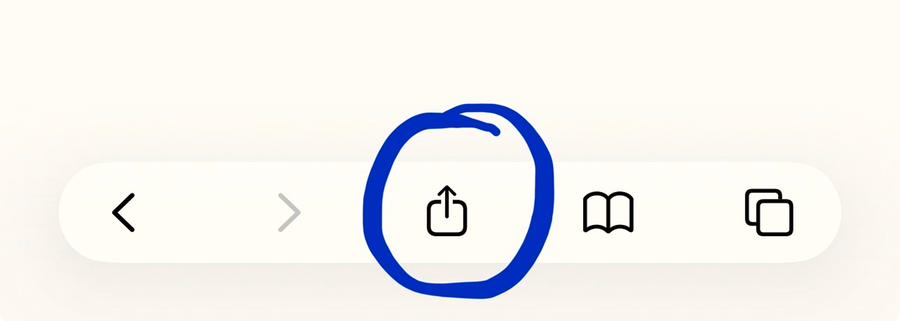
Click the arrow on the bottom of your browser
Step 3:
After clicking the arrow, a pop up should have appeared.
In the pop up, "Add to Homescreen" should be one of the options. Click that.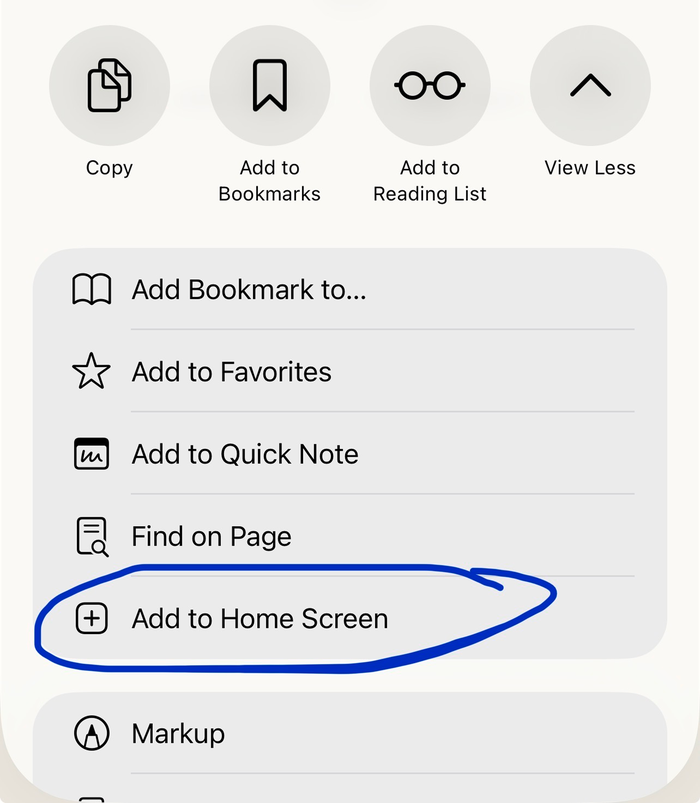
In the pop up, "Add to Homescreen" should be one of the options. Click that.
Step 4:
Write whatever label you want to see for the website's icon
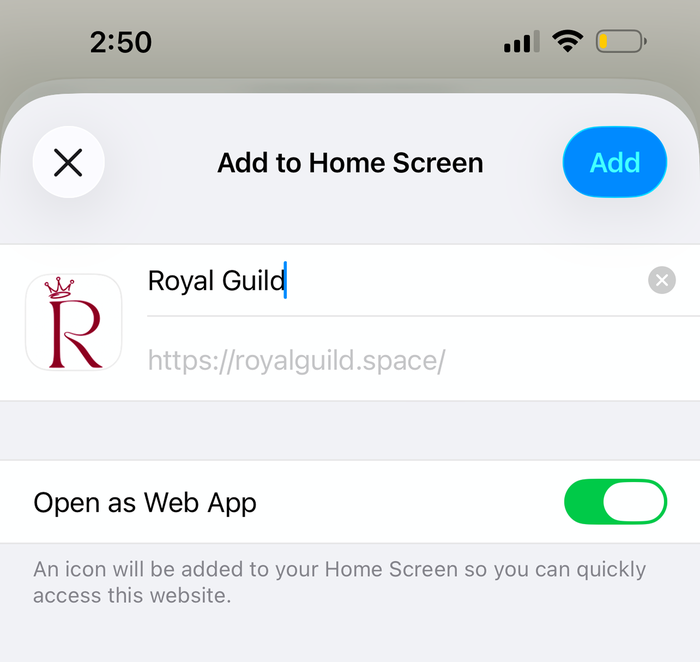
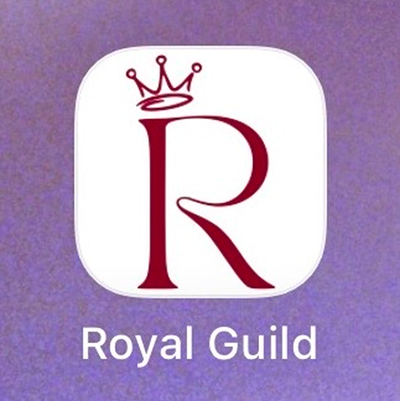
Then the icon should pop up in your homescreen like a regular app. And you should be able to open and use it like a regular app.
Step 1:
Go to your android cellphone or tablet with the homepage of the website loaded.
Step 2:
Click the three dots on the top right side of your browser

Step 3:
After clicking the three dots, a pop up should have appeared.
In the pop up, "Add to Homescreen" should be one of the options. Click that.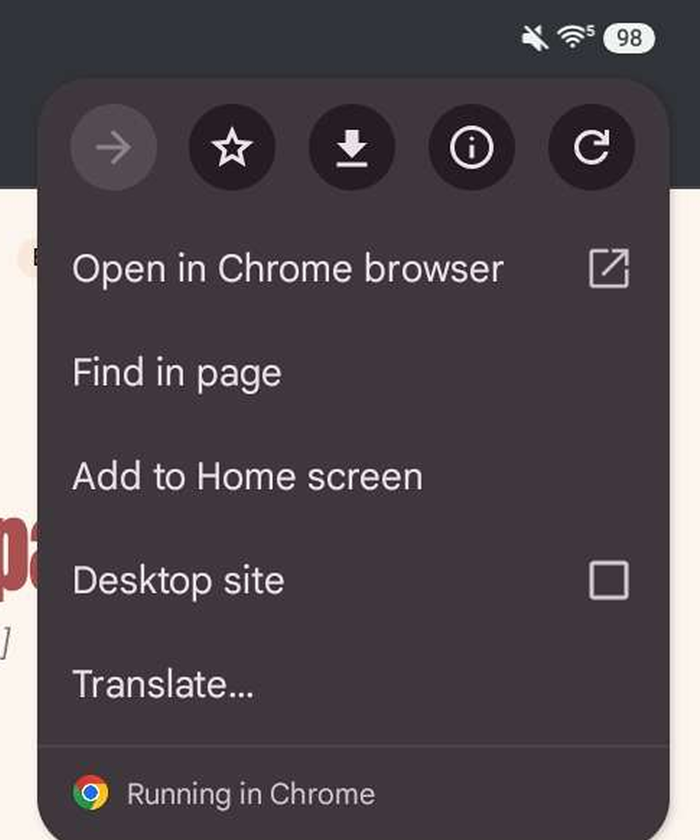
In the pop up, "Add to Homescreen" should be one of the options. Click that.
Step 4:
Then another pop up will come up – click Install App (or create shortcut, if you prefer that)
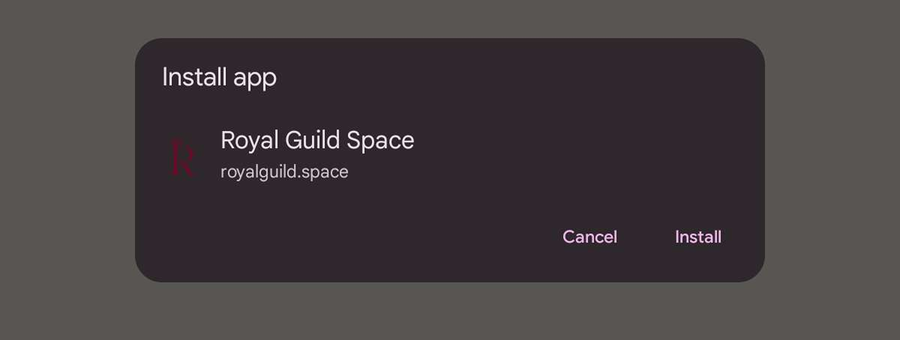
Then the icon should pop up in your homescreen like a regular app. And you should be able to open and use it like a regular app.